map main
first screen left
first screen center
first screen right

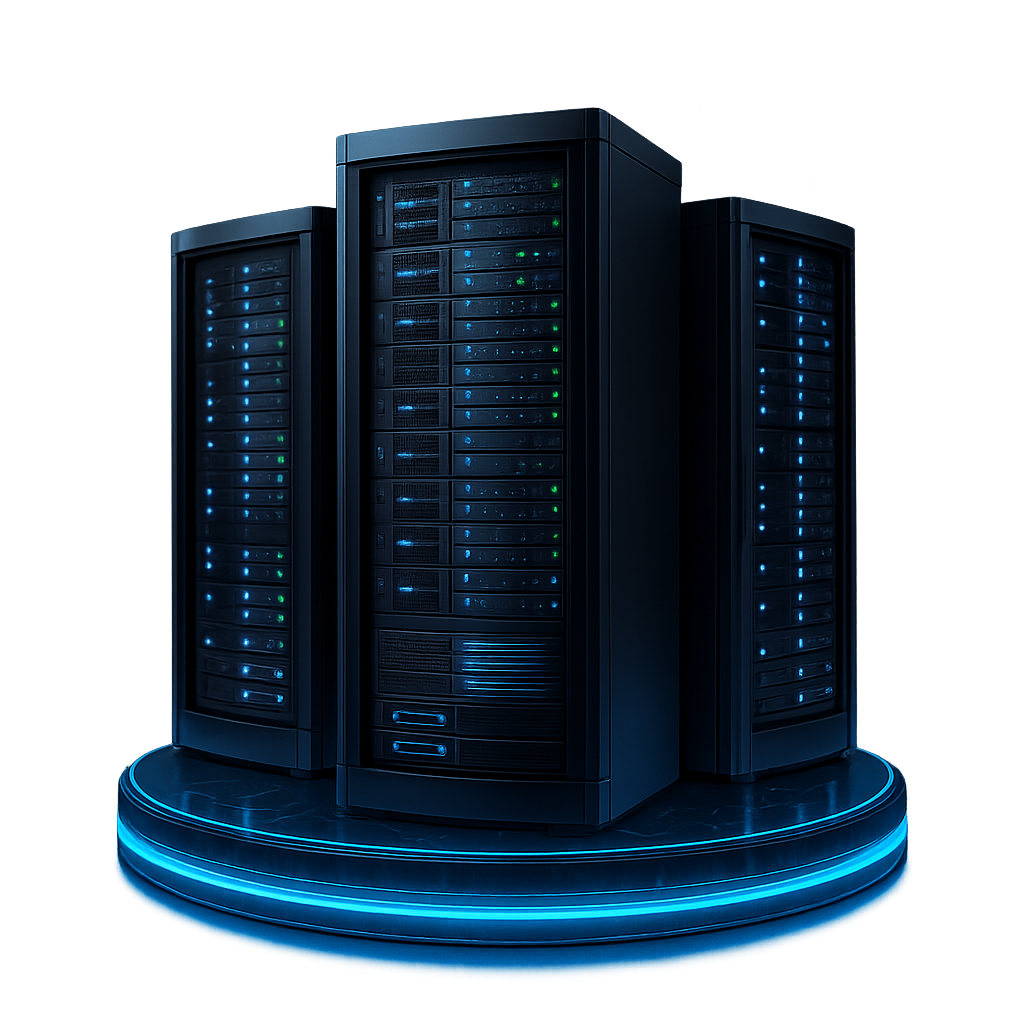
Dedicated Servers with SSD

Dedicated resources optimized for high-load tasks

img main

Dedicated Server Plans for Business Needs

Each plan delivers fully dedicated hardware, ultra-low latency, and 24/7 uptime to support your critical business operations.

  • Standard Dedicated Servers

    $ 399.00
    Save up to 50% with fixed-term billing
    • cpu : AMD EPYC 7543 - 32c/64t (base 2.8GHz/max 3.7GHz)
    • ram : up to 1TB DDR4
    • storage : up to 8 x SSD SATA / NVMe
    • port speed : From 100 Mbit to 2 x 10 Gbps
    • public bandwidth : From 100 Mbit to 2 x 10 Gbps
    • private bandwidth : From 100 Mbit to 2 x 10 Gbps
    • idrac/ipmi : full access
    • ipv4 : From 1 to /24
    • ipv6 : From 16 to /64
    • location : Estonia
    Order now
  • Custom Servers

    $ 469.00
    Save up to 50% with fixed-term billing
    • cpu : AMD EPYC 7702P - 64c/128t (base 2.0GHz/max 3.4GHz)
    • ram : up to 1TB DDR4
    • storage : up to 8 x SSD SATA / NVMe
    • port speed : From 100 Mbit to 2 x 10 Gbps
    • public bandwidth : From 100 Mbit to 2 x 10 Gbps
    • private bandwidth : From 100 Mbit to 2 x 10 Gbps
    • idrac/ipmi : full access
    • ipv4 : From 1 to /24
    • ipv6 : From 16 to /64
    • location : Estonia
    Order now
  • GPU Dedicated Servers

    $ 799.00
    Save up to 50% with fixed-term billing
    • cpu : AMD EPYC 9754 - 128c/256t (base 2.3GHz/max 3.1GHz)
    • ram : up to 3TB DDR5
    • storage : up to 8 x SSD SATA / NVMe
    • port speed : From 100 Mbit to 2 x 10 Gbps
    • public bandwidth : From 100 Mbit to 2 x 10 Gbps
    • private bandwidth : From 100 Mbit to 2 x 10 Gbps
    • idrac/ipmi : full access
    • ipv4 : From 1 to /24
    • ipv6 : From 16 to /64
    • location : Estonia
    Order now

  • Cisco logo
  • Dell_logo
  • HP logo
  • Intel logo
  • Juniper logo
  • Ripe_ncc logo
  • Supermicro Iogo

Why Leading Teams Trust Us

Experience unmatched reliability, speed, and power built for the most demanding workloads

  • 24/7 Support
    24/7 Support

    You should do the business and we should take care of your server infrastructure every day and every night. Professional support from the hosting veterans.

  • Storage options
    Storage options

    We offer servers with different storage options such as HDD, SSD, or NVMe, including various RAID arrays on demand.

  • Server Hardware
    Server Hardware

    Our servers are powered up by leading enterprise hardware manufacturers as Dell, HP, SuperMicro, and Juniper.

  • 1 or 10 Gbit Ports
    1 or 10 Gbit Ports

    Our servers are connected to 1 or 10 Gbit ports by default to ensure that your server can cope with any tasks you throw at them.


An SSD Dedicated Server is a hosting solution that exclusively uses Solid State Drives (SSDs) for storage. Unlike traditional hard drives, SSDs have no moving parts, leading to faster data access and improved reliability. This server type is dedicated, meaning it's reserved for a single client, offering enhanced performance, security, and control. The architecture of an SSD dedicated server is designed to maximize the speed and efficiency of SSD technology, ensuring quick load times and efficient data processing, making it ideal for high-traffic websites, large databases, and applications requiring rapid data access.

What are the benefits of using an SSD in a dedicated server?

The advantages of using SSDs in a dedicated server include:

  • Speed: SSDs offer significantly faster data access and read/write speeds, boosting server performance, particularly for data-heavy applications.
  • Durability: With no moving parts, SSDs are less prone to mechanical failures, enhancing data reliability and longevity.
  • Energy Efficiency: SSDs consume less power and generate less heat, leading to lower energy costs and reduced cooling requirements in data centers.

What criteria should be considered when selecting a provider for an SSD Dedicated Server?

When selecting a provider for an SSD Dedicated Server, it's crucial to carefully evaluate various aspects to ensure that the service meets your specific requirements. Key factors to consider include:

  • SSD Type: Prioritize providers offering high-quality SSDs known for their superior read/write speeds and durability, as this impacts overall server performance.
  • Server Specifications: Assess the server's hardware, including RAM, CPU capabilities, and bandwidth, to ensure they align with your performance needs.
  • Support: Look for a provider with robust customer support, ideally available 24/7, to assist with any technical issues or queries.
  • Uptime Guarantees: Investigate the provider's uptime track record. Reliable uptime guarantees are crucial for ensuring consistent server availability.
  • Scalability: Ensure the provider offers flexible scalability options, allowing you to easily upgrade or adjust resources as your business grows and demands evolve.

For which purposes are dedicated servers equipped with SSDs well-suited?

Dedicated servers with SSDs are particularly suitable for tasks that require high-speed data processing, reliability, and efficient performance. These include:

  • High-Traffic Websites: They can handle the load of large numbers of visitors without slowing down, making them ideal for e-commerce sites, news portals, and popular blogs.
  • Database Management: SSDs offer faster data retrieval speeds, benefiting applications that rely heavily on database reads and writes, like CRM systems and complex ERP software.
  • Gaming Servers: Online gaming platforms benefit from SSDs due to their quick load times and reduced latency, enhancing the gaming experience.
  • Web Hosting: They provide fast and reliable hosting services for websites, especially those with dynamic content or high user interaction.
  • Data Analysis and Big Data Applications: SSDs can significantly speed up data processing, making them suitable for big data analytics and real-time data processing tasks.
  • Virtualization: They are ideal for running multiple virtual machines or containers, as SSDs can efficiently handle the high I/O demands of virtualized environments.
  • Content Delivery Networks (CDNs): SSDs improve the performance of CDNs by enabling faster content delivery and caching.
  • Video and Audio Streaming Services: The high throughput and low latency of SSDs are beneficial for streaming services, ensuring smooth and uninterrupted media delivery.

Customer Reviews

5/5 from 26 Users

  • Sofia
    • Sofia
    • ,
    • March 31
    Bandwidth for media delivery

    We deliver large media files and streams every day. Bandwidth stays consistent during peak usage and users experience fewer buffering issues overall. It made a clear difference!

    Read more
  • Amalia
    • Amalia
    • ,
    • April 2
    Built for production use

    The service feels designed for real production workloads. Hardware quality, network stability, and consistent performance removed hosting from our list of daily concerns.

    Read more
  • Chloe
    • Chloe
    • ,
    • April 22
    Budgeting finally makes sense

    As a CTO at a subscription based SaaS company, I track infrastructure costs closely. With BlueServers, pricing stays predictable as usage grows, so forecasting is straightforward and surprises are rare.

    Read more
  • Louis
    • Louis
    • ,
    • June 30
    No more emergency restarts

    Our team runs a SaaS product with CI pipelines and several microservices. BlueServers stability cut emergency fixes dramatically. We ship features instead of restarting services or chasing performance issues.

    Read more
  • Jeroen
    • Jeroen
    • ,
    • June 10
    Operational noise dropped

    Our dashboards stopped showing unexplained spikes. Metrics remain steady, alerts are rare, and daily operations feel quieter across both normal and peak usage.

    Read more
  • Emilia
    • Emilia
    • ,
    • July 1
    Peak hours feel normal

    Traffic spikes used to change how the system behaved. With dedicated capacity, response times remain consistent in the evenings and planning feels much more reliable.

    Read more
  • Guangming
    • Guangming
    • ,
    • October 15
    Region choice reduced latency

    For our mobile commerce platform, we deployed in a closer region and noticed lower latency immediately. Pages load faster, API calls complete quicker, and the whole experience feels more responsive overall.

    Read more
  • Denis
    • Denis
    • ,
    • November 4
    Predictable compute for parallel jobs

    Physical servers removed noisy neighbor problems completely. CPU and RAM stay consistent during parallel workloads, container builds, and background jobs. Performance is predictable because resources are not shared.

    Read more
  • Ethan
    • Ethan
    • ,
    • May 10
    Launch traffic stayed smooth

    We ran a campaign that tripled traffic overnight. Dedicated capacity kept response times stable, avoided throttling, and handled checkout load cleanly. CPU and memory usage stayed steady the entire time.

    Read more
View All Reviews arrow all

Frequently asked questions
  • Why do most servers run on Linux? arrow faq

    Most servers run on Linux because of its exceptional reliability and security. Linux's open-source nature allows for quick bug identification and patching. Additionally, its active development community ensures continuous improvements and updates for mission-critical tasks.

  • Is 16 GB RAM enough for Minecraft server? arrow faq

    Yes, 16 GB of RAM is sufficient for a Minecraft server, including BungeeCord. However, if you have plugins installed, you might want to consider increasing the RAM to ensure optimal performance. It's recommended to have at least 16 GB of RAM for a basic setup, but additional RAM may be needed for more intensive gameplay.

  • Is FreeBSD good for a server? arrow faq

    Yes, FreeBSD is considered to be a good choice for server deployments. It is a robust and reliable operating system known for its stability, scalability, and security. FreeBSD offers excellent performance and has a long history of being utilized as a server platform, making it well-suited for various server applications.

  • How secure is a dedicated server? arrow faq

    A dedicated server is inherently more secure because no resources are shared. You can implement custom firewalls, access rules, encryption, and monitoring tools.

  • Do I need technical expertise to manage a dedicated server? arrow faq

    Basic system administration skills are useful, but you can also choose managed support services if you prefer the provider to handle configuration and maintenance.

  • What affects the performance of a dedicated server? arrow faq

    CPU generation, number of cores, RAM capacity, storage type (SSD/NVMe), and network port speed all influence performance.

  • What operating systems can I install? arrow faq

    You can choose from more than 15 different Linux and Windows distributions for your projects. If you need a specific or custom OS image, we can usually handle that on request as well.

  • Can I host several websites or applications on one dedicated server? arrow faq

    Yes. With exclusive hardware resources, you can run multiple websites, apps, databases, and services as long as the server’s capacity meets your needs.

  • Can I run multiple projects on one dedicated server? arrow faq

    Yes. A dedicated server gives you full control over how resources are allocated, so you can host several websites, applications, or internal tools on the same machine without performance drops.

  • What kind of support can I expect? arrow faq

    Depending on the provider, support may include monitoring, hardware replacements, OS troubleshooting, security assistance, and optional server administration services.


Ready to scale?
Ready to scale?

Start for free and unlock high-performance infrastructure with instant setup.

Get Started Get Started